快速开始
在调用模型之前,您需要完成以下几个步骤:
- 注册 Magik Compute 账号并登录
- 创建一个推理接入点
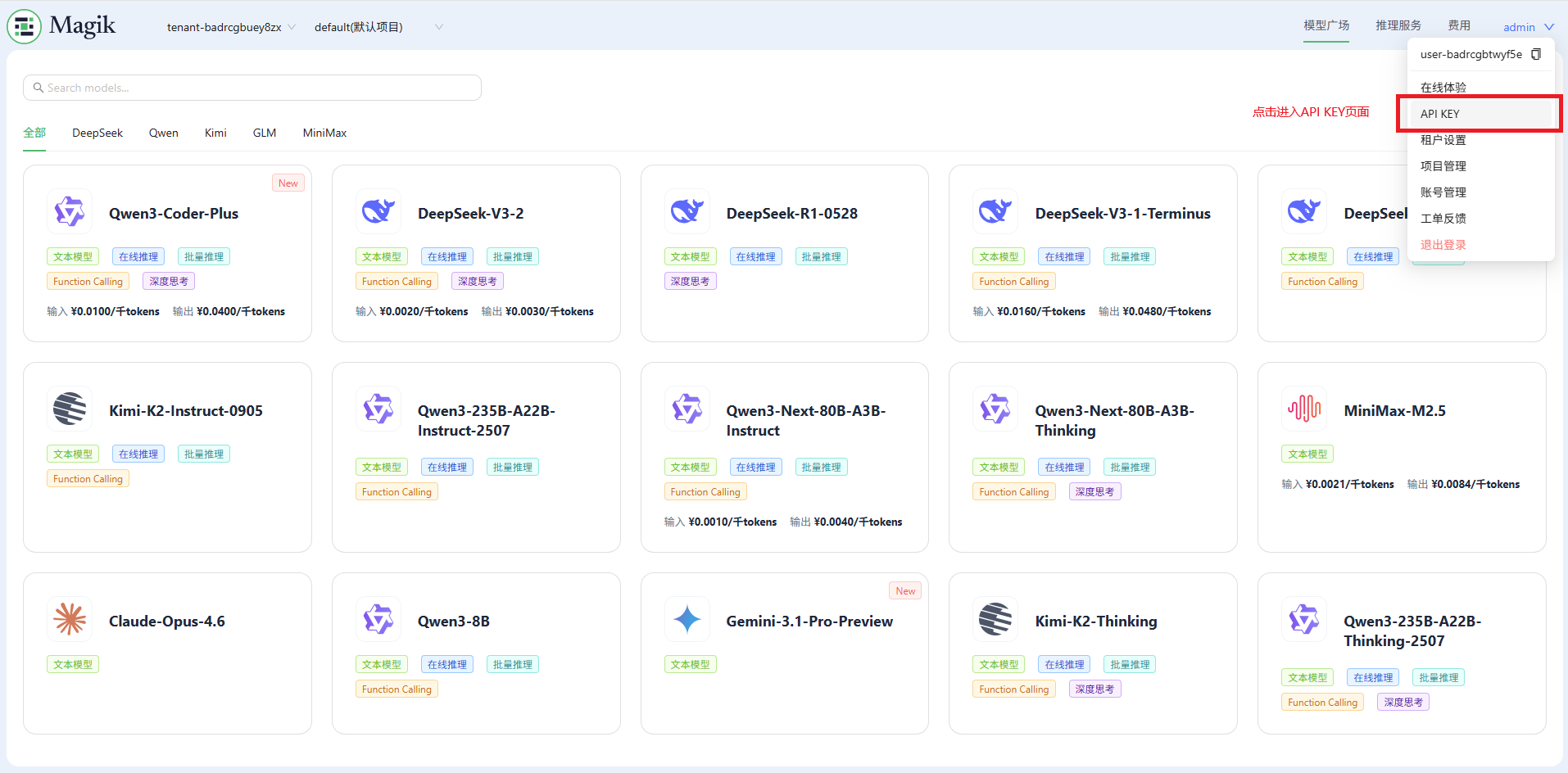
- 创建一个 APIKey
- 调用模型
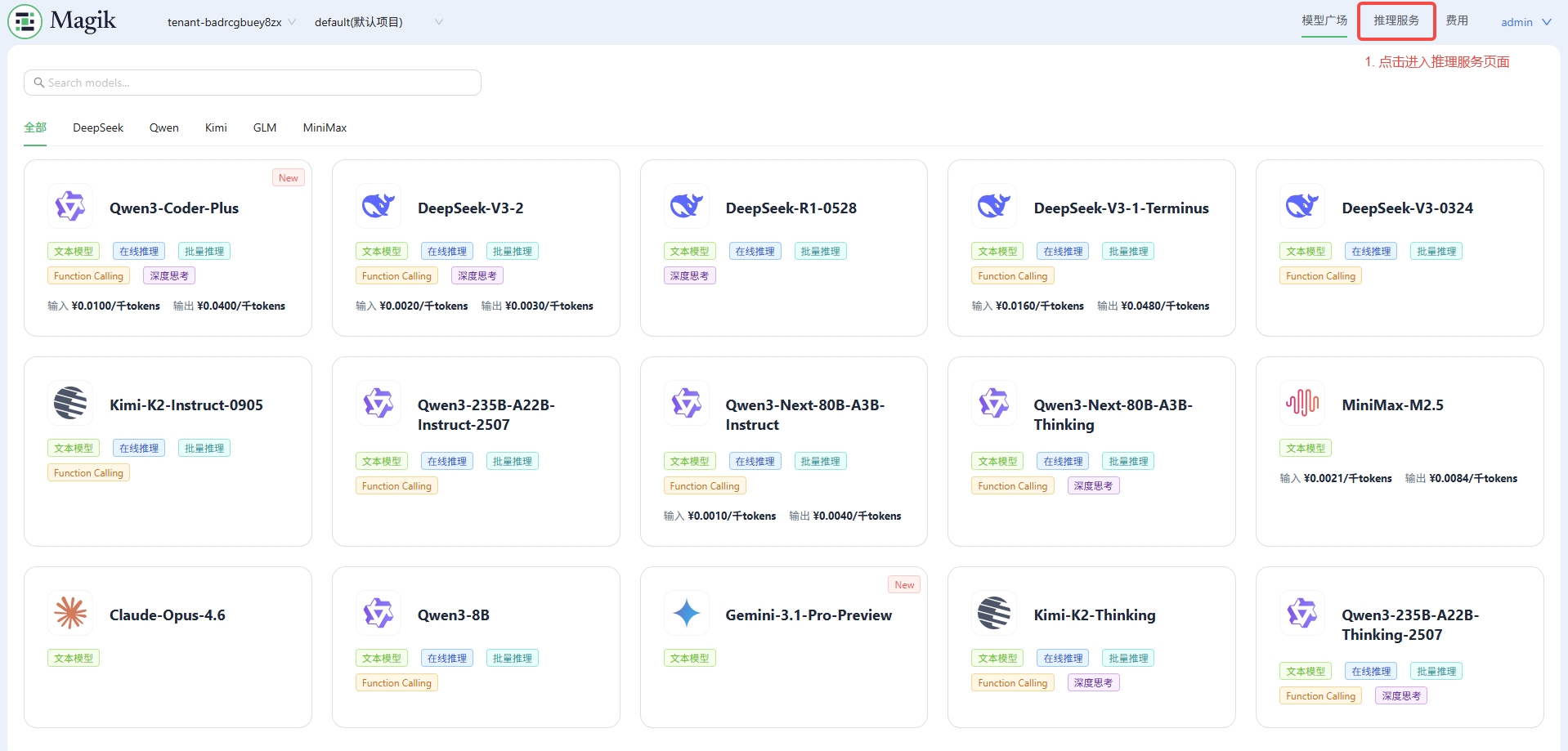
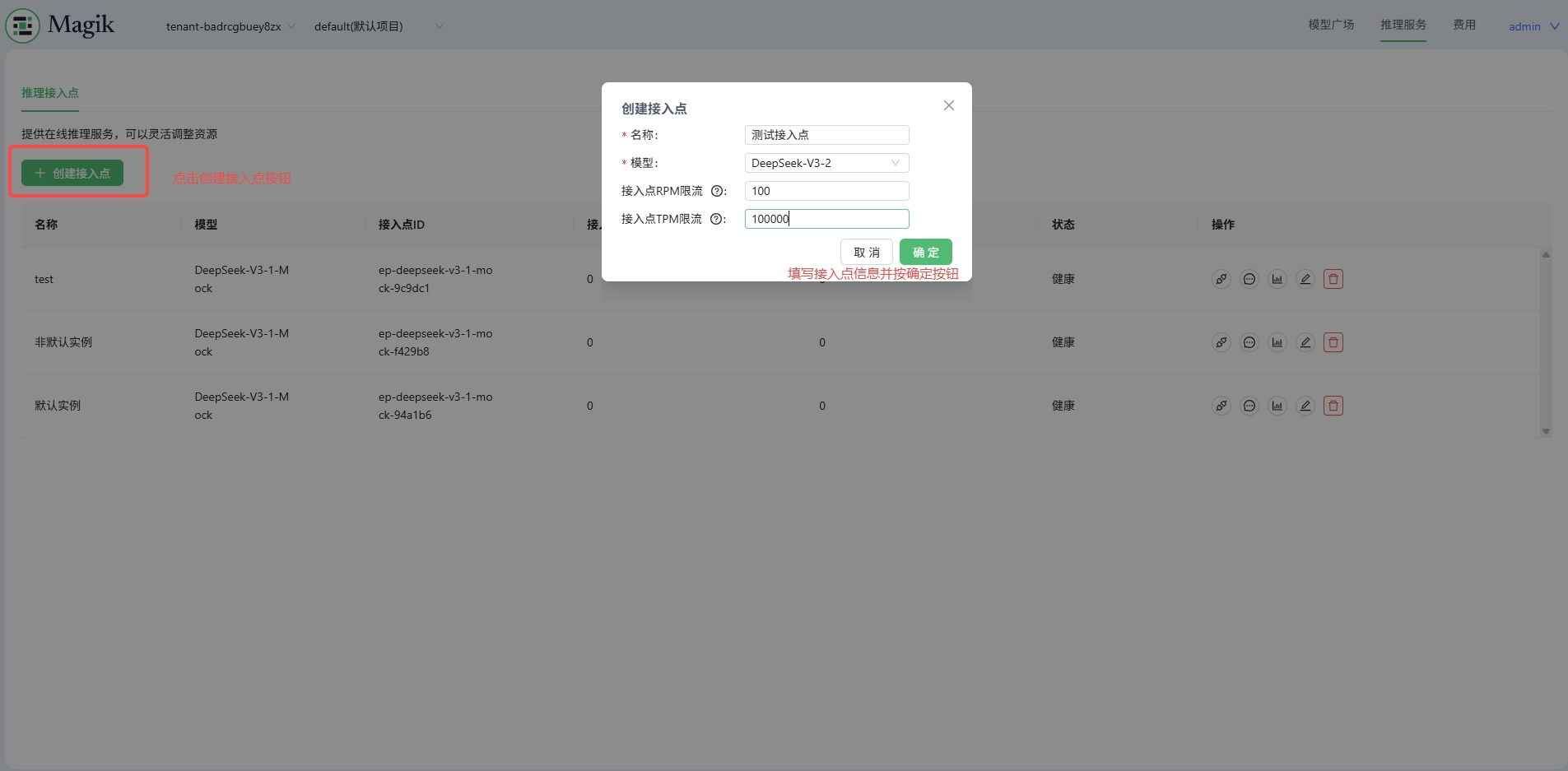
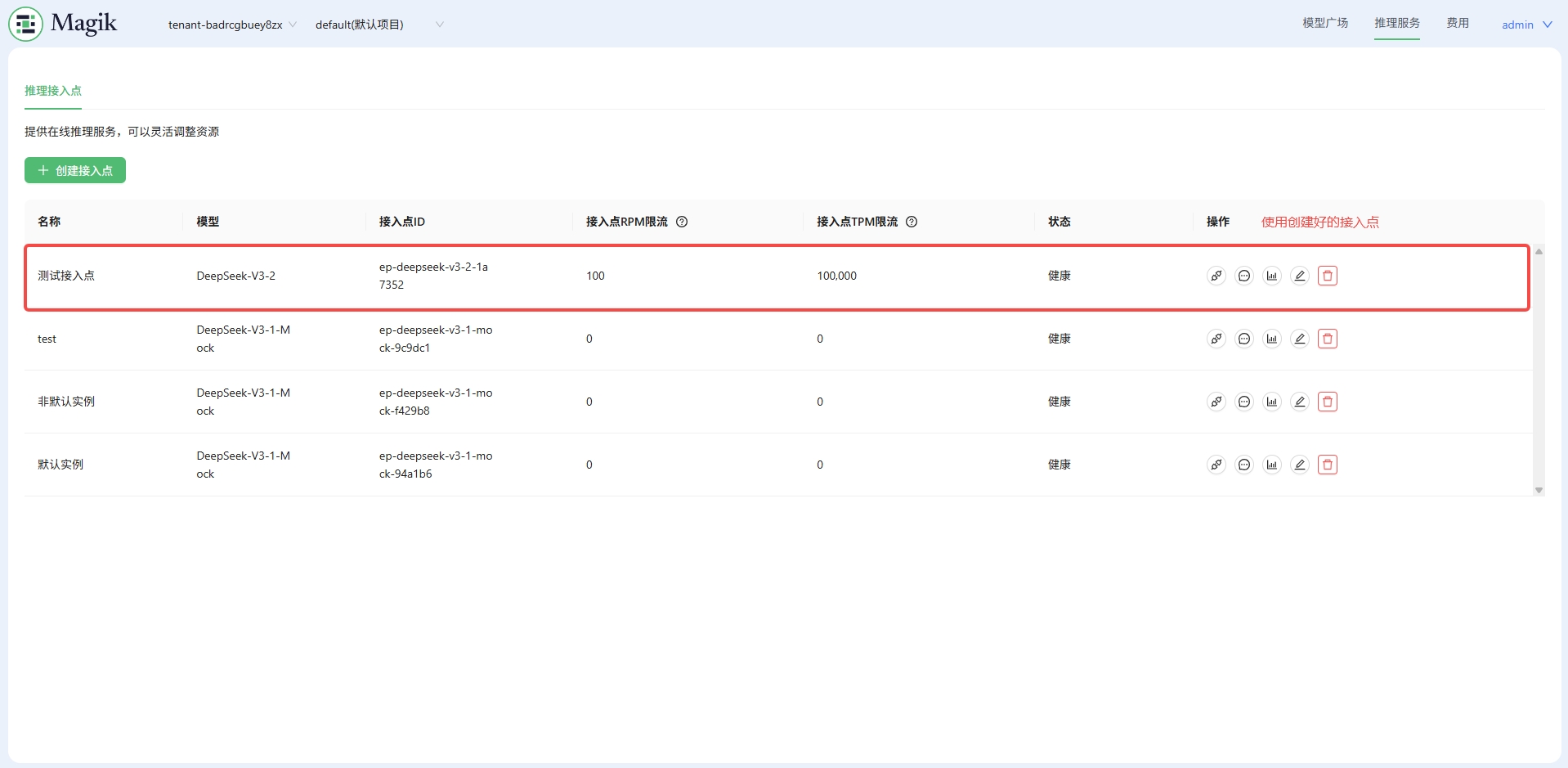
第一步:创建一个推理接入点
您可以选择想要使用的模型,并创建一个推理接入点(Inference Endpoint)。
第二步:创建一个 APIKey
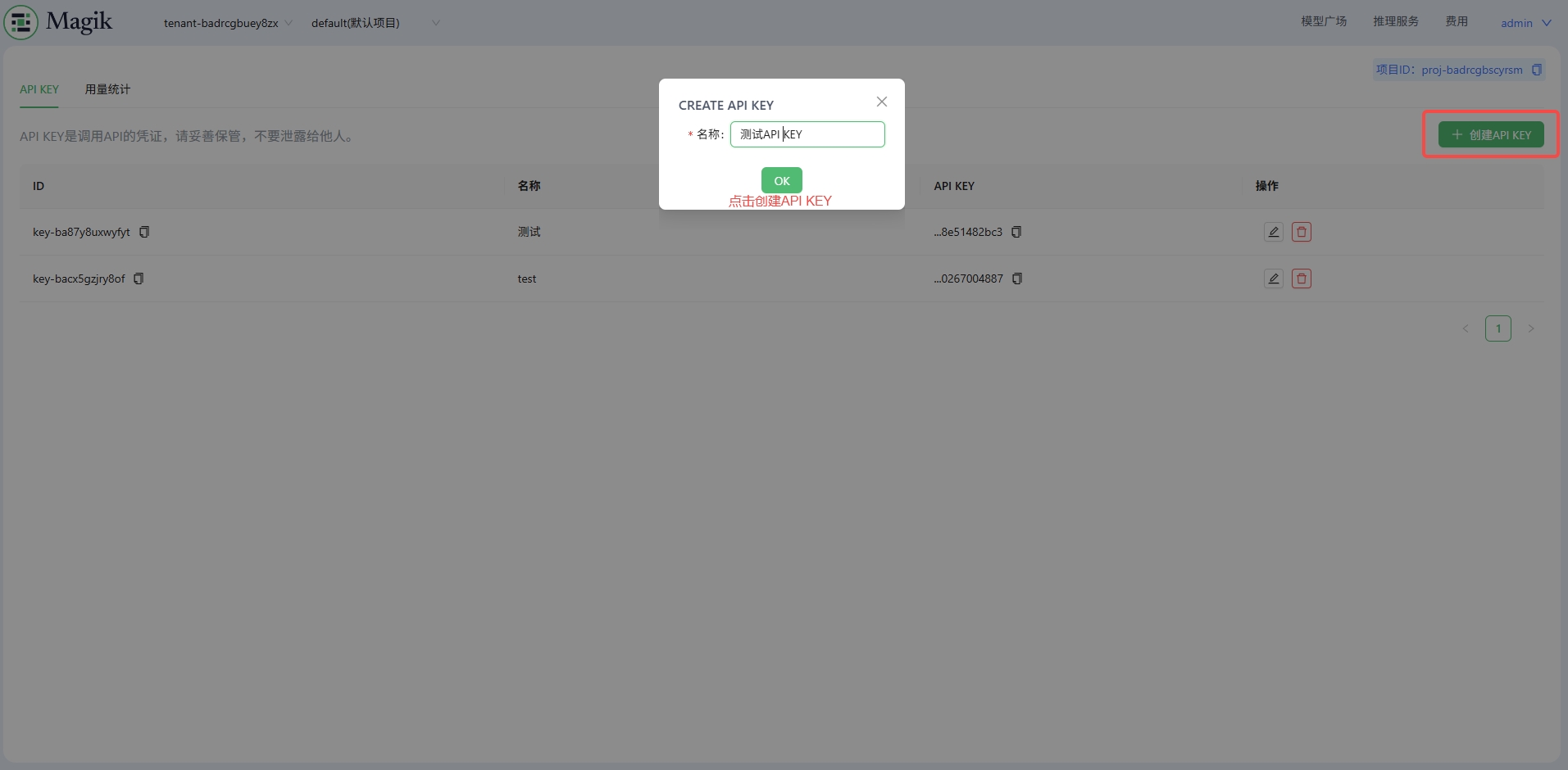
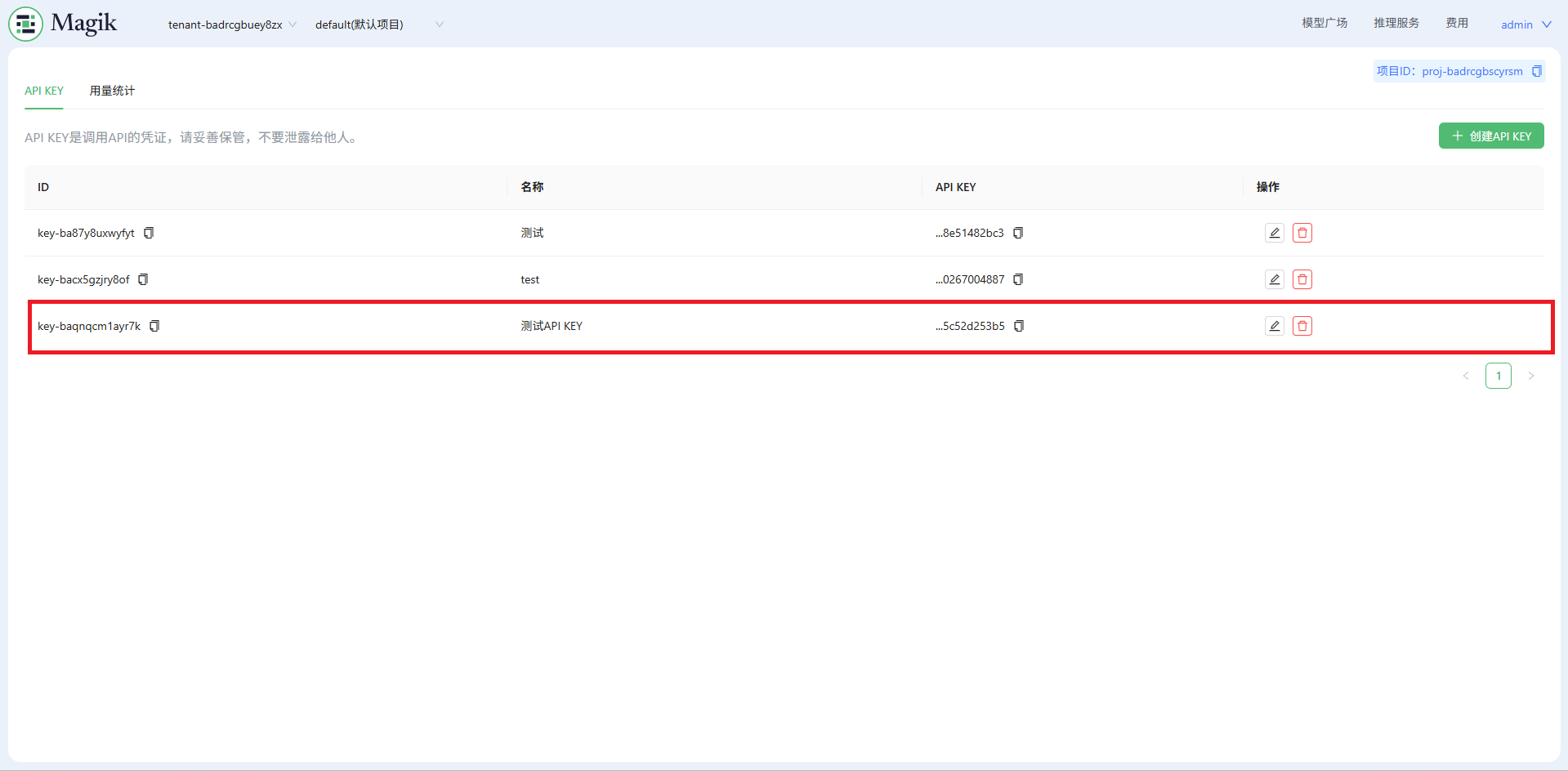
第三步:调用模型
从接入点或者右上角进入在线体验
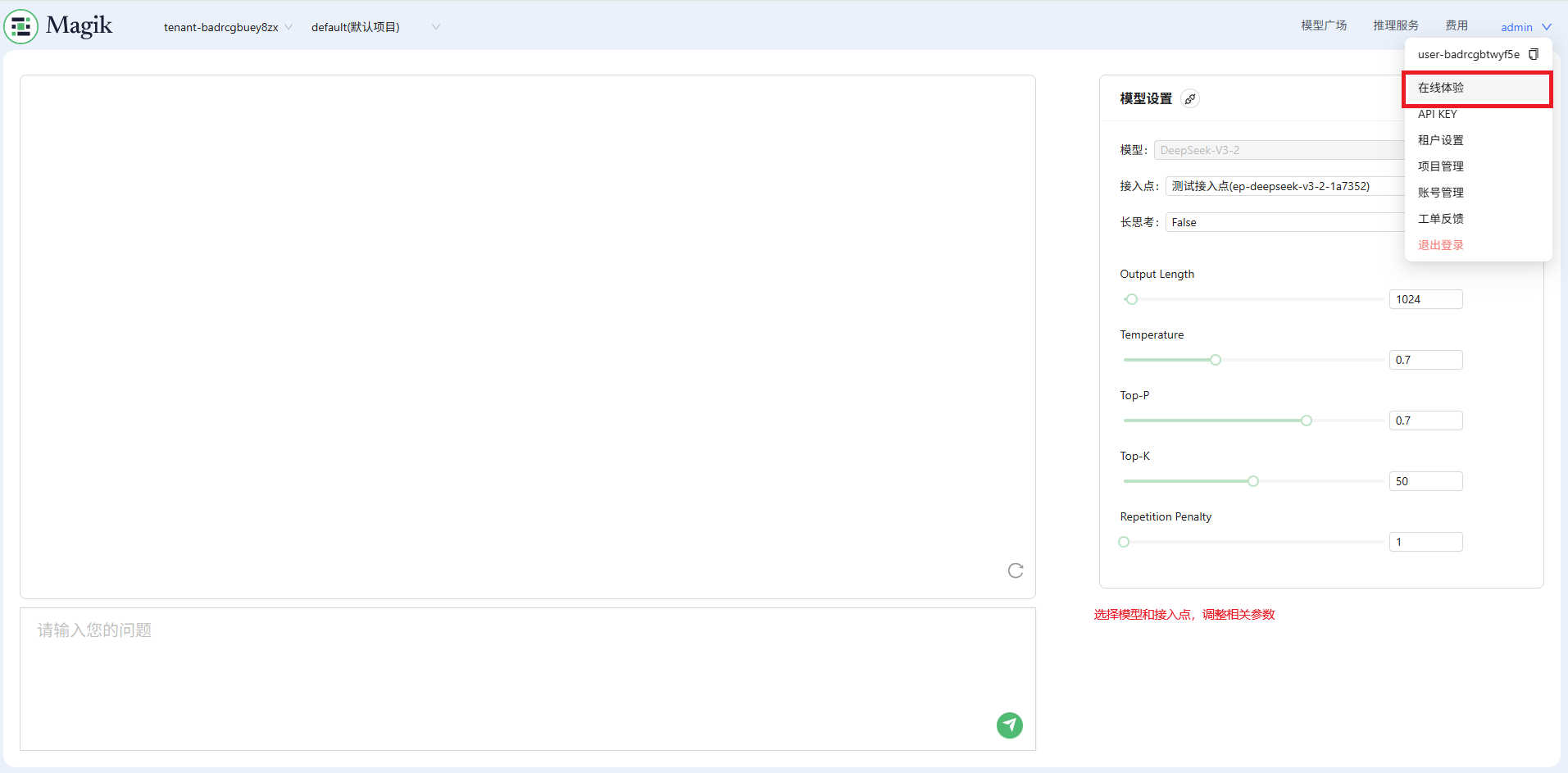
接口调用
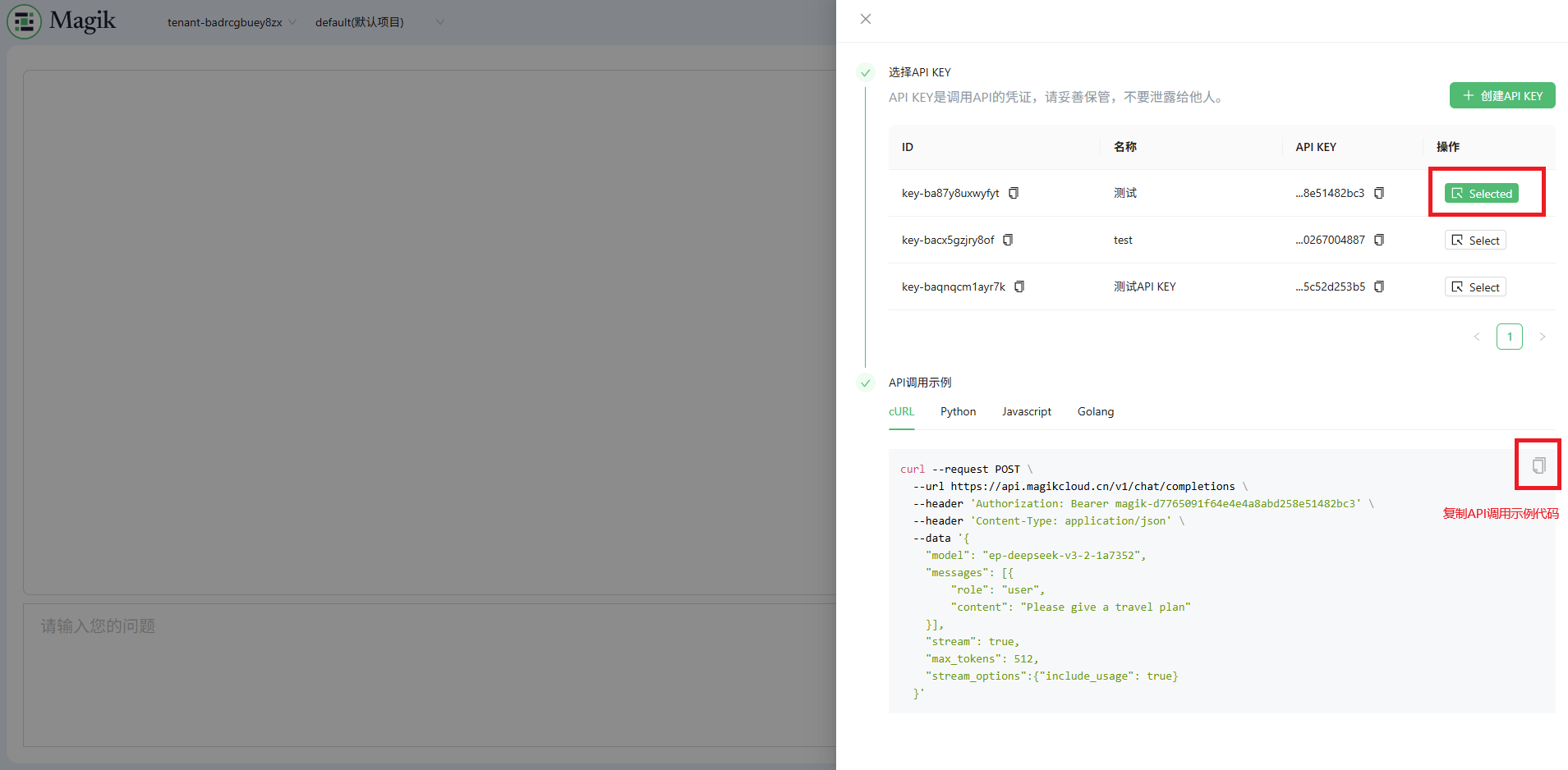
复制调用示例后即可进行接口curl调用,您可以根据需要修改请求参数或者转换为您需要的编程语言。
curl --request POST \
  --url https://api.magikcloud.cn/v1/chat/completions \
  --header 'Authorization: Bearer ${API_KEY}' \
  --header 'Content-Type: application/json' \
  --data '{
    "model": "${ENDPOINT}",
    "messages": [{
        "role": "user",
        "content": "Please give a travel plan"
    }],
    "stream": true,
    "max_tokens": 512,
    "stream_options":{"include_usage": true},
    "chat_template_kwargs": {"thinking": true},
    "tools": [
        {
            "function": {
                "description": "文搜工具",
                "name": "web_search",
                "parameters": {
                    "properties": {
                        "query": {
                            "description": "用于文本检索的子任务查询",
                            "type": "string"
                        },
                        "timeliness": {
                            "description": "时间线参数设置",
                            "type": "integer"
                        }
                    },
                    "type": "object"
                }
            },
            "type": "function"
        }
    ]
  }'